
Release 70 is here! 🚀
We’re excited to bring you Release 70!
Running a business is no small feat—but this release is here to make it smoother. Release 70 gives you more control, flexibility, and time back in your day.
From group booking support to flexible cancellation penalties and client profile deletion, we’ve tackled real-world challenges that make a big difference in your day-to-day. You’ll also find smarter insights in reports like Visits Milestone & Lifetime Value and Client Reviews, along with clearer details in the Achieve App.
Behind every feature is a story. Meet the customers who inspired many of the updates in this release.
Here’s what’s new!
What's New
COMING SOON - Group booking for classes and events
A clearer, more confident Achieve App experience for your clients
More Updates
What’s New
COMING SOON - Group booking for classes and events
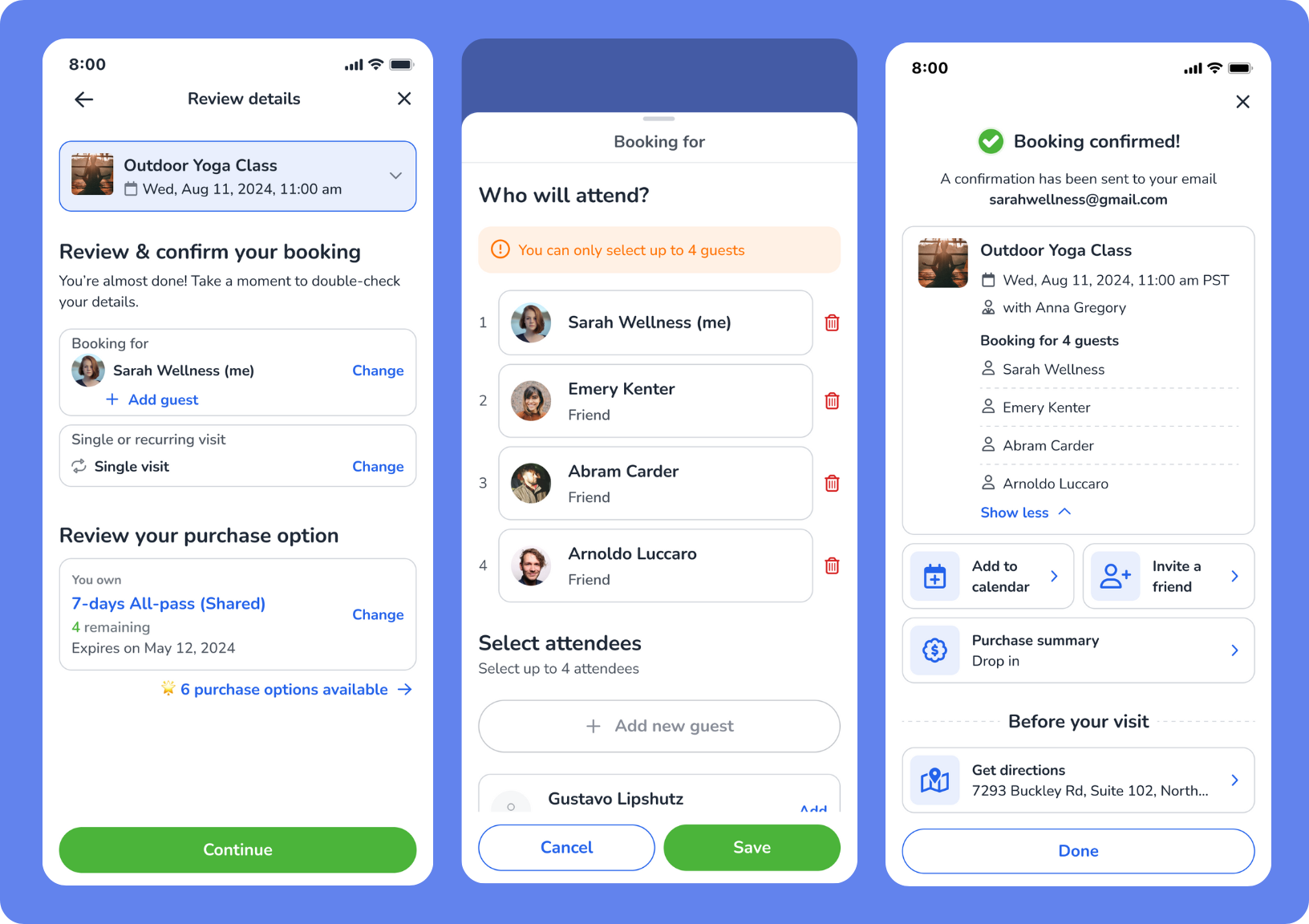
What is it?
Clients can now book classes or events for multiple people—like friends, family, or training partners—in one smooth booking process. This update makes it easy to support group bookings while still respecting your business policies, purchase rules, and capacity limits.
Key features
Add guests in one flow – Clients can book for multiple people in one go, choosing from their relationships or adding new guest names.
Instant checks for conflicts – The system flags any issues (like full classes, restrictions, or duplicate bookings) right away—so clients can fix them before confirming.
No risk of overbooking – The Add Guest button only appears when space is available and group booking is turned on.
Flexible payments – If eligible, shared Purchase Options apply automatically. Unpaid bookings are supported when a “pay when they visit” purchase rule is enabled.
📍 Go to Setup > Business > Business Policies > Booking to enable Group booking and set guest limits per booking.
A clearer, more confident Achieve App experience for your clients
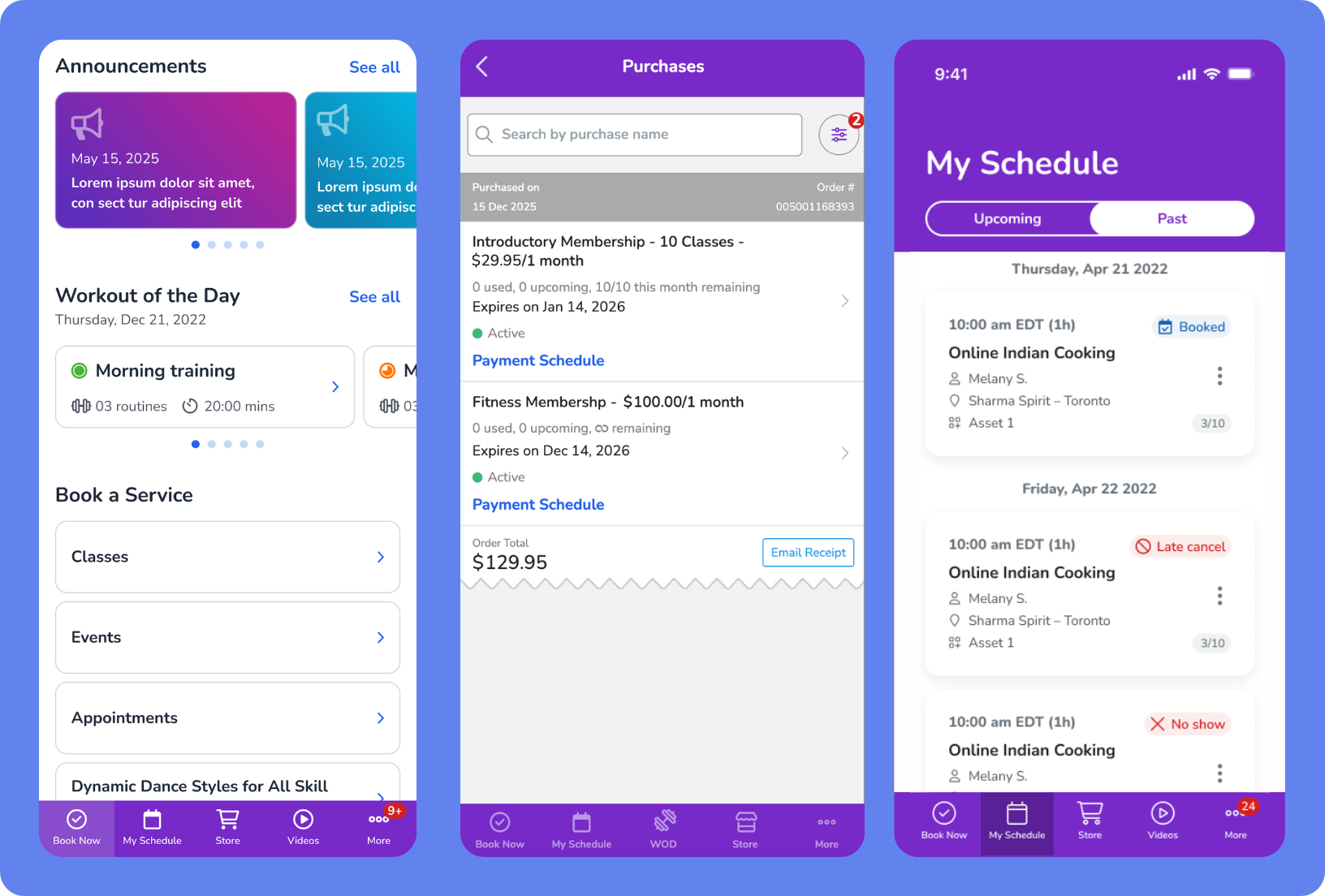
What is it?
Your clients can now clearly see if a past visit was Attended, Late Canceled, or marked No-Show, and check when their passes or memberships expire, auto-renew, or never expire—all without needing to contact your staff. Plus, enjoy a more polished experience across the most-used areas of the app.
Key features
Visual and layout improvements – A more intuitive experience in the Book Now, My Schedule, and Profile tabs
Clearer expiry info – Active passes and memberships now display Expires on, Auto renews on, or Does not expire in the Purchases tab
Attendance visibility – Clients can now see past visit statuses at a glance, reducing confusion about no-show or late cancel penalties
📍These updates are now live in the latest version of the Achieve App.
Smarter, more flexible dashboards
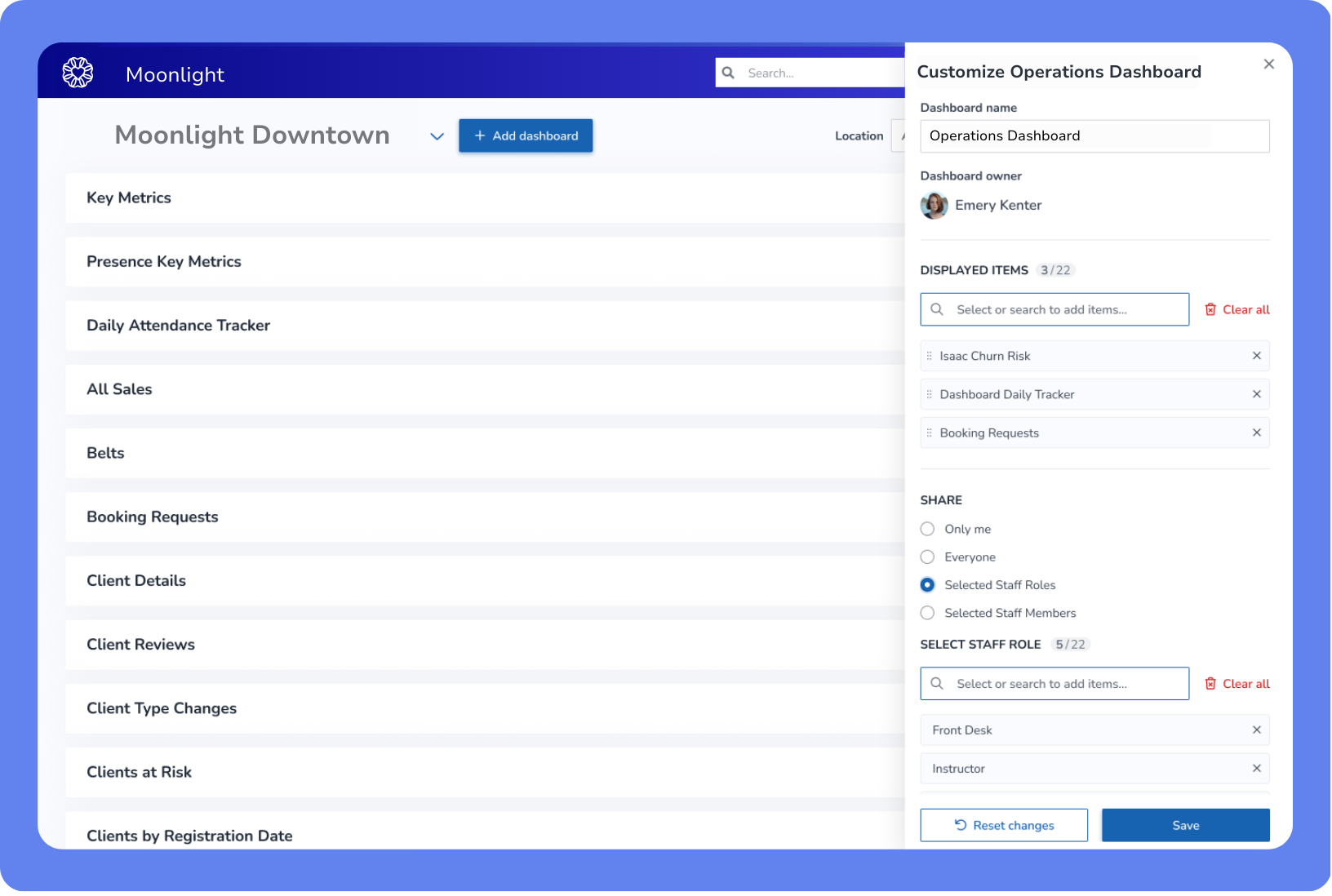
What is it?
Dashboards just got a design upgrade—so you can see what matters, faster. Whether you’re tracking attendance or revenue, you can now build or edit dashboards with a custom name, drag-and-drop sections, real-time previews, custom layouts, and export and print options. There’s even more to come soon with some huge updates to Key Metrics like Daily Attendance Tracker and Summary View.
Key features
Default dashboard templates – Choose from prebuilt layouts to get started faster
Dashboard deletion with safeguards – Remove dashboards with a confirmation step
Daily Attendance Tracker section upgrade – A cleaner look with new summary cards like Booked, Attended, No Show, and Capacity Utilization, plus filter and export options
Permissions-aware access – Staff only see reports and actions they have permissions for, and export/print options are hidden if not allowed
📍To get started, go to the Dashboard tab from the App Drawer, then click + Add Dashboard or use the action menu menu to edit, reorder, or remove sections.
More flexible late cancel & no-show policies
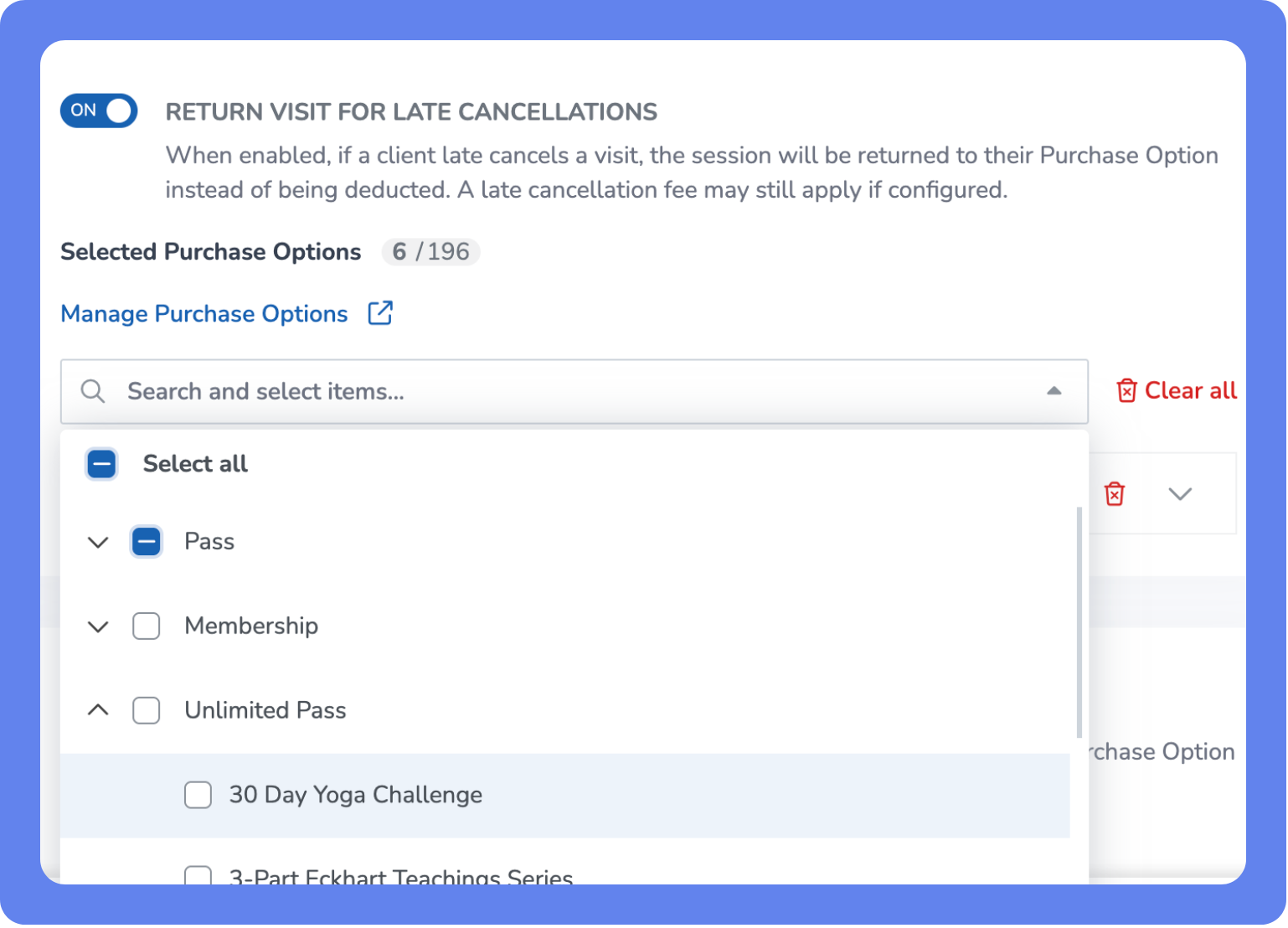
What is it?
Now you can return visits for loyal clients without sacrificing your revenue. And, you now have more control over how penalties are applied. Instead of clients losing both a fee and a visit, you can return the visit to their pass while still charging the late or no-show fee—protecting your revenue without frustrating loyal clients.
Key features
Flexible outcomes – Charge the the Client without removing a session from their Purchase Option.
Clear tracking – Refunded visits show a Visit Returned badge in attendance reports.
Aligned with your policies – Penalties are applied based on your business settings, giving you full control over when and how fees are charged.
📍 To enable, open the App Drawer, then go to Setup > Business > Business Policies > Cancellation and turn on the new return visit settings: Return Visit on Late Cancel & Return Visit on No-Show, then add applicable Purchase Options.
Delete client records without losing key history
What is it?
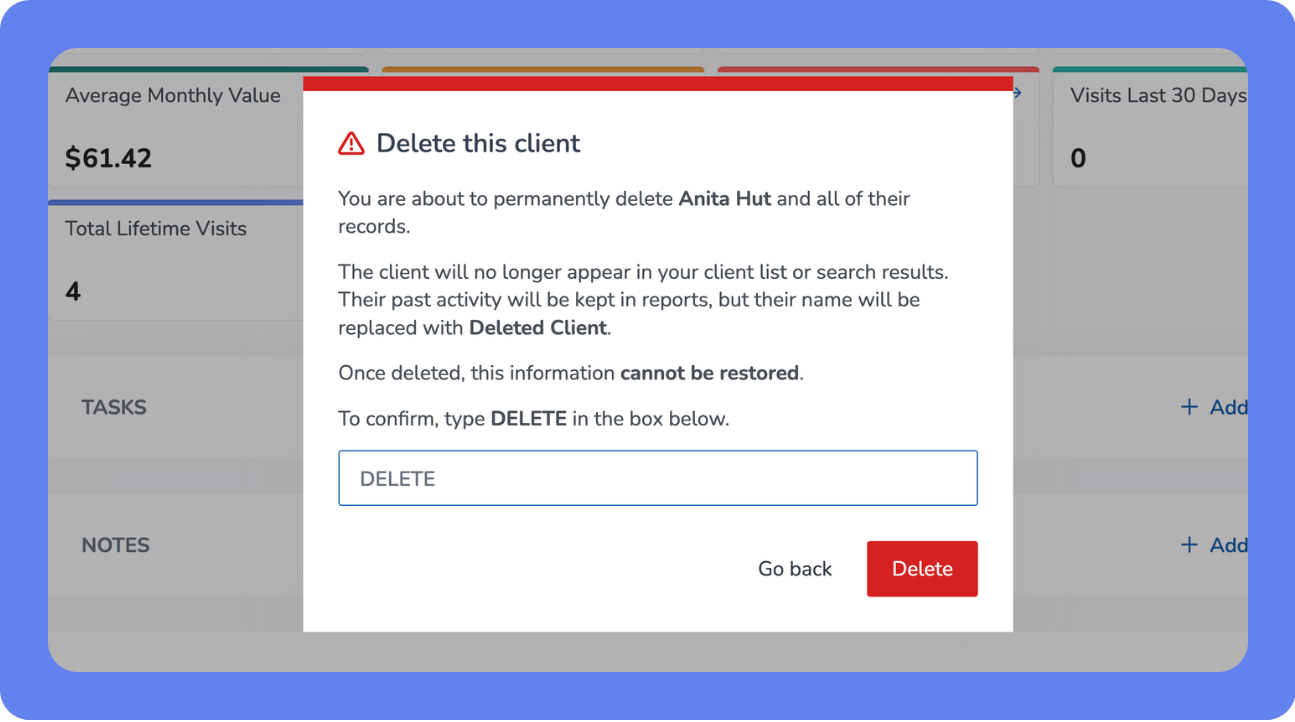
Now you can tidy up your client list and remove old profiles—without losing important history or affecting reports. This new workflow keeps your data clean and your records intact by securely tracking all deletions. Staff can only use this feature if you enable Delete Client Profiles in their permissions, so you stay in control of who can perform this action.
Key features
Smart safeguards – The system blocks deletion if the client has active memberships, bookings, unpaid invoices, or linked family/staff roles—helping you avoid accidental data loss
Audit-ready logging – Every deletion is fully recorded, including staff name, client ID, timestamp, and deletion details, giving you transparency for internal reviews or compliance
Clean, reliable reporting – When deleted, the name becomes Deleted Client #XXXXX, so past records stay accurate but private.
📍To enable, open the App Drawer, then go to Setup > Staff > Staff Roles, select a staff role and enable the Delete Client Profiles permission.
Unified Event & Schedule Booking Experience
What is it?
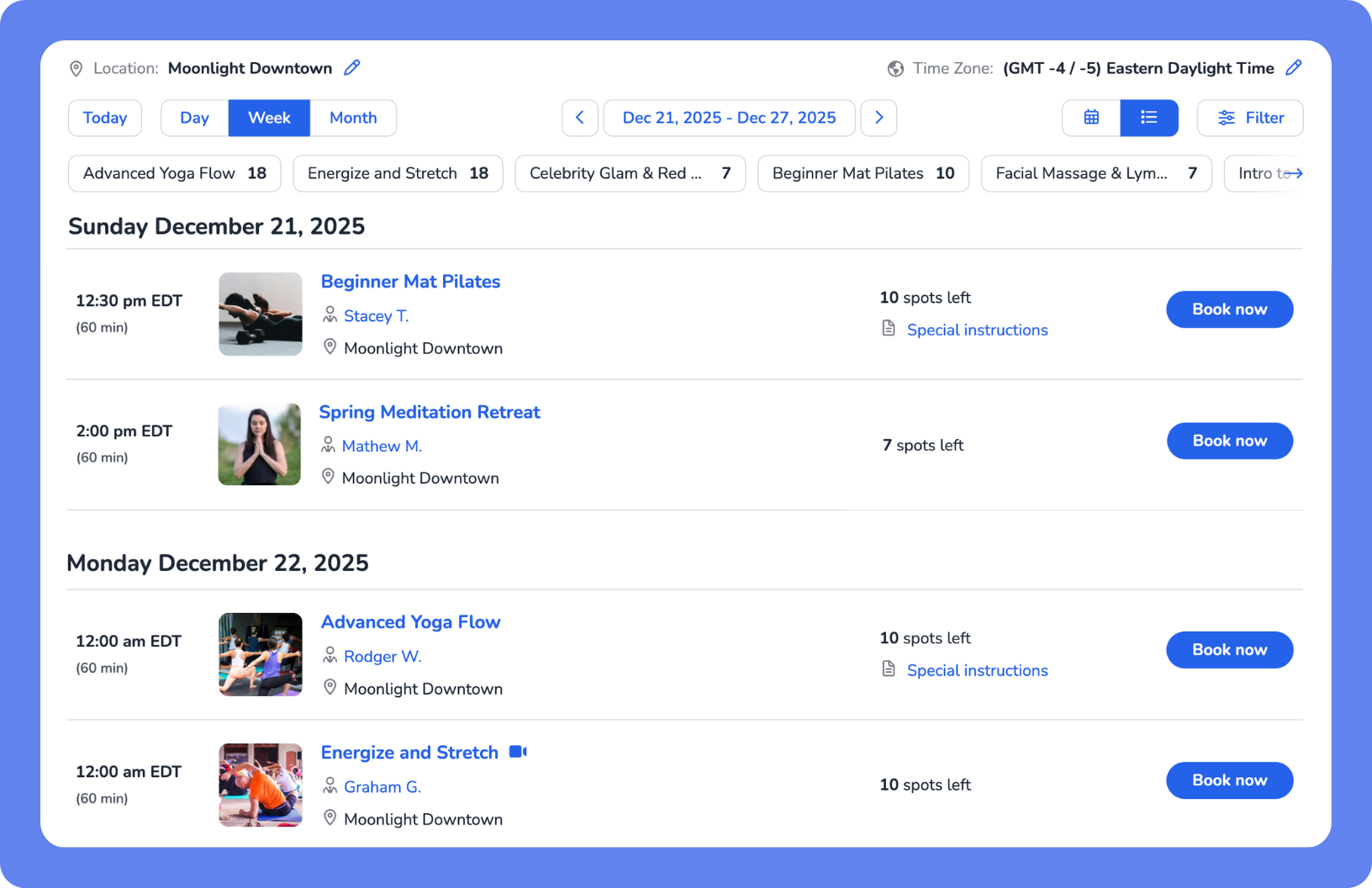
Booking events or classes now looks and feels the same, whether you're on the web or the Achieve Client App—making it easier for clients to sign up without confusion. The Event Widget launches first, giving clients a refreshed way to book workshops, courses, and special events, with the Schedule Widget to follow—bringing the same unified design to class bookings.
Key features
Consistent experience – A unified booking flow for both events and classes across web and mobile.
Faster performance – The new design loads quickly and responds smoothly for an improved client experience.
Modern design – A clean, updated layout makes browsing and booking easier and more intuitive.
Book for others in Achieve – Clients can now book services or events for family members or dependents directly from their own accounts in the Achieve Client App.
More Updates
Other time-savers and fixes you’ll love.
Online Store
Higher product quantity limit in Staff Store – Staff can now enter up to 9,999 units per product when selling retail items, making bulk sales faster and easier.
Smarter package visibility by location – Packages with valid location-specific memberships now only appear in booking flows and the Store.
Purchase Options
Cleaner service search in Purchase Options – Inactive classes, appointments, events, and assets are now grouped under an "Inactive" section to help staff find the right services faster.
Smarter billing for adjusted membership start dates – When start dates are changed and a manual prorate is applied, clients will only be charged once.
Reports
New summary cards in Visits Milestone report – Get quick insights with milestone and value summary cards showing client visit ranges, average spend, and lifetime metrics—all responsive to filters.
Improved clarity in Client Reviews report – New columns for Review and Business Reply, clearer labels like Rating, and a more intuitive layout make feedback easier to scan and export.
Reattempted payments now retain original location – Payments for clients without a home location are now attributed to the location of the original transaction, ensuring accurate revenue reporting.
Decimal format added to Time Clock reports – Time Clock Summary and Details reports now display hours in decimal format, making payroll calculations easier and preventing overpayment errors.
Staff Back Office
App Store links added to Kiosks setup – You can now quickly access the iOS and Android WellnessLiving Check-in Apps from Setup > Kiosks, making it easier to download and set up native check-in solutions.
Appointments
Printed visit receipts now match email templates – Customizations to the Visit Receipt email template—like ABNs or service codes—now appear in printed versions for consistent, up-to-date documentation.
Client Account & Billing
ACH payments now respected in balance collections – Pending ACH payments toward account balances no longer trigger duplicate charges from the Collect Outstanding Balances policy.
Widgets
Lead Capture Widget now assigns purchase location – Purchases made through the Lead Capture Widget are now automatically linked to the client’s Home Location, improving reporting accuracy.
Enterprise
Traveler Mode improvements in Achieve App – Travel clients can now view My Schedule and purchase Purchase Options, Events, and Gift Cards—bringing Achieve App to parity with the Client Web App.
We’d love to hear what you think about this release—share your feedback in our Community Forum!