
Each location represents one of your physical business sites. Locations include customizable details such as name, amenities, business hours, booking policies, and a dedicated business page in the WellnessLiving Explorer listing.
Key tips
Updating the location info for a business with a single location will cause the WellnessLiving Business Page link to be cleared. It will need to be re-entered manually.
WellnessLiving Explorer listings require a valid address with a ZIP/postal code for each location.
To request a separate merchant account for a location, contact merchant@wellnessliving.com or call 1-888-668-7728.
Client credit card information won’t be available in a new location created with a separate merchant account. Contact merchant@wellnessliving.com to transmit your clients’ credit card information from the old location to the new one.
Contact WellnessLiving support to either:
Display the phone number for a location on its associated WellnessLiving Explorer listing, or
Display location information for services on the Book Now tab of the Client Portal.
Add a location
To add a location, contact sales at 1-888-668-7728 or sales@wellnessliving.com.
Modify a location
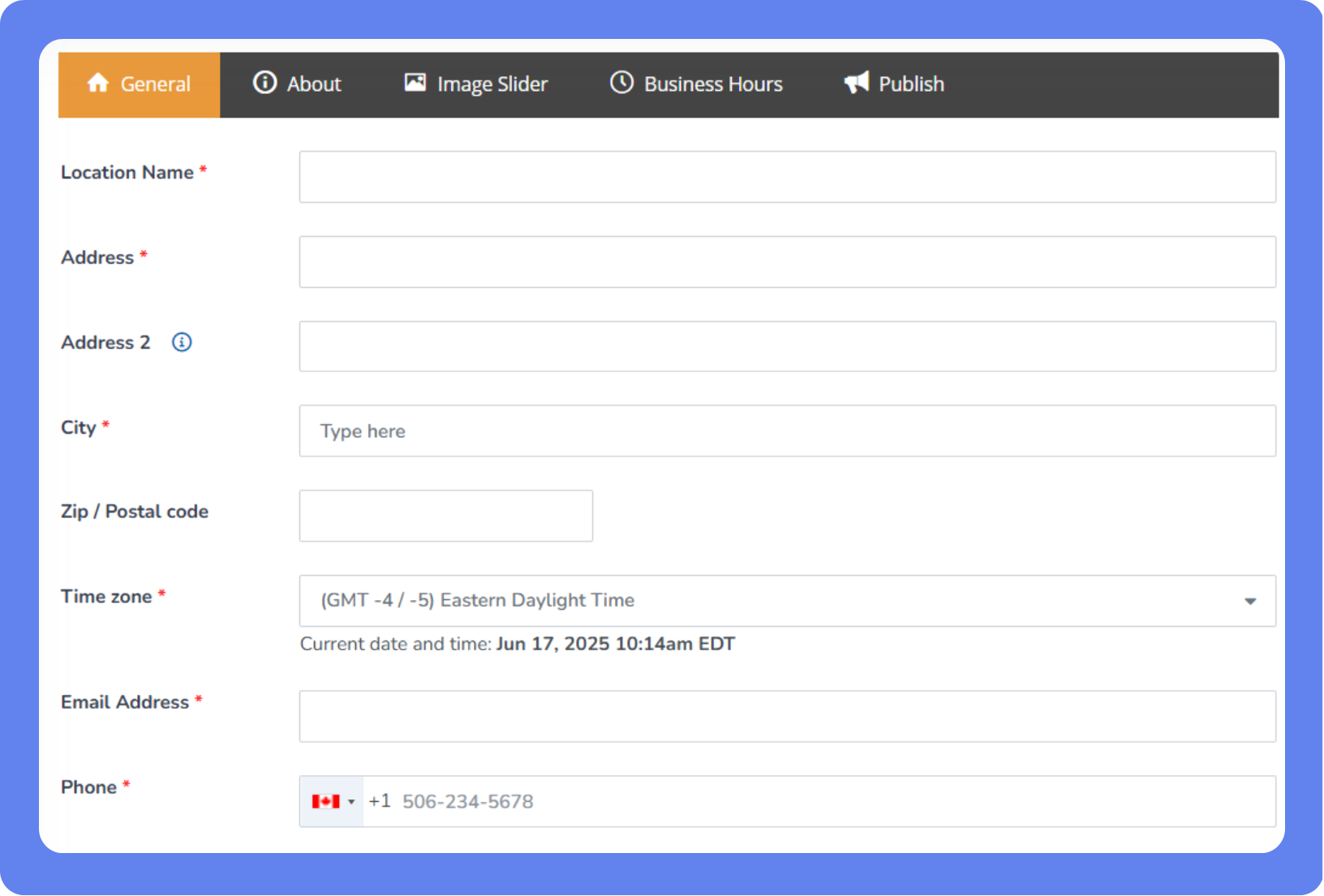
To modify a location:
Open the App Drawer
 then click View All > Setup > Locations.
Click the location name.
Under General Information, enter the location details. Required fields are indicated by red asterisks.
Enter the full address, including the ZIP or postal code, so your location appears in WellnessLiving Explorer.
Select the Time zone. When you change the time zone for a location, the time for scheduled services are automatically updated.
To display your location’s phone number in WellnessLiving Explorer and Achieve Client App set this option to ON.
Configure the settings and integrations that will show for clients and prospects in the WellnessLiving Explorer:
Write your location’s business description.
Add or remove images on the image slider.
Set the location’s business hours.
Set your integrations for ClassPass, Google, Wellhub, Spivi, and your WellnesslLiving Explorer listing under the Publish tab.
Click Save.