
Understanding the Store Widget
The Store Widget is a type of widget that allows clients to purchase your Purchase Options, products, and other items available in your store directly through your website or Facebook page.
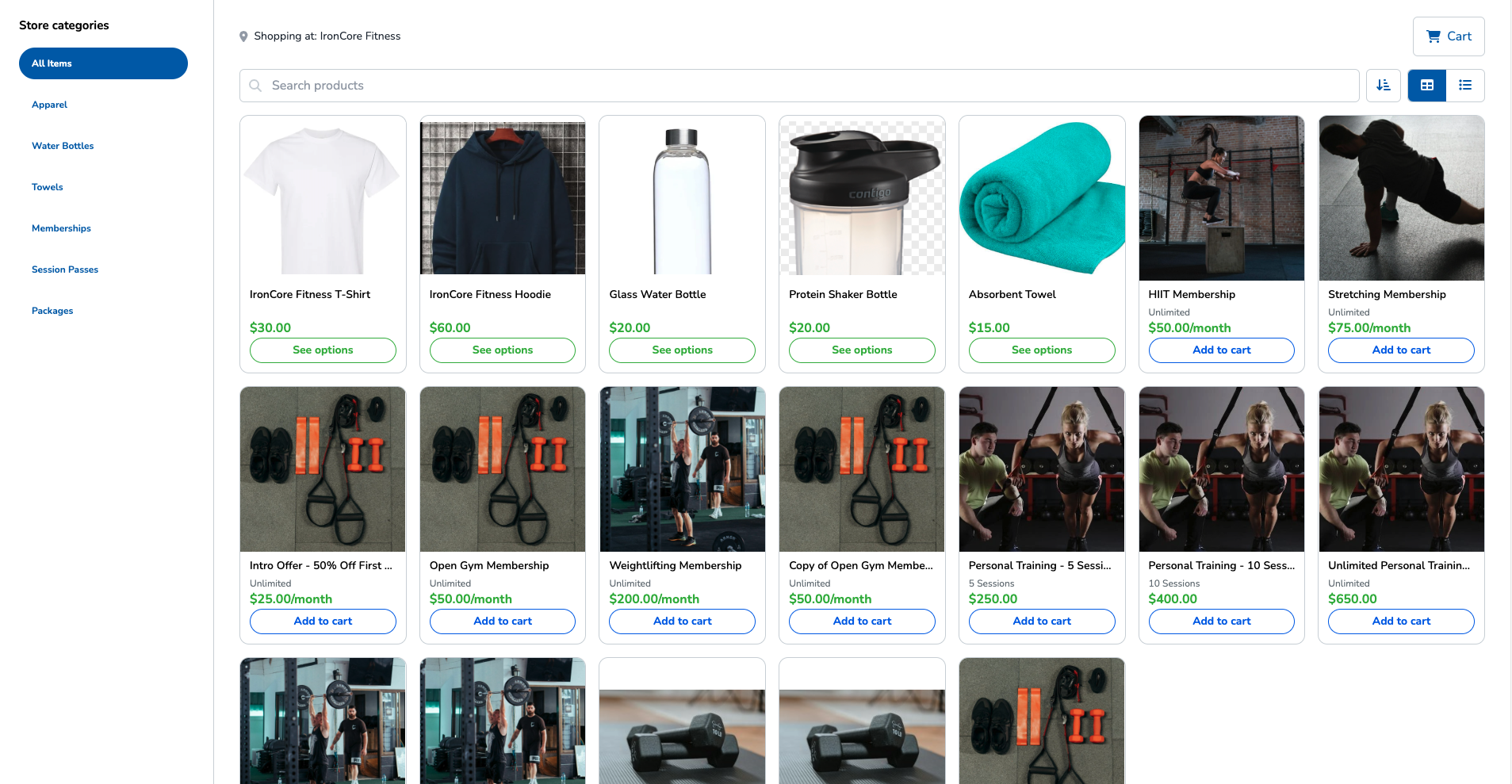
What you can do with the Store Widget
The Store Widget can be used in a few ways to increase your visibility and sales. Here are some of the ways customers use the Store Widget most effectively:
Feature the items you want – Configure the widget to display the items available at all your locations or only the items available at a specific location.
Let your clients shop from anywhere – Use this widget to showcase and sell products, such as merchandise, gift cards, or Purchase Options directly from your website or Facebook page.
Encourage new clients to join your business – New clients who click the Sign up button in the Store Widget will receive a registration confirmation email. For more information about the registration confirmation email, see Signing up as a client.
Create fully branded Store Widget skins – Choose your own fonts, colors, and button styles. A built-in live preview shows you exactly how your widget will look on desktop and mobile before you publish it, so you don't need to test changes on your website. For step-by-step instructions, see Customize your Store Widget skin.
Getting started with the Store Widget
Before clients start shopping from your website or Facebook page, complete the following steps:
Create or modify the Store Widget skin – Create or modify the structure and design of the widget.
Embed the widget or widget button – Add the widget or widget button to your website or Facebook page so that your clients can shop your store without being redirected to another page.
Copy the embed code from the widget settings.
Paste the code into the HTML section of the desired page on your website.
Let your clients start shopping – Once everything is set up, your clients can begin browsing your store and filling their shopping carts from your website or Facebook page.