
To access attendance restrictions, click the App Drawer button  then click View All > Setup > Store Configuration > Purchase Options, create or select an existing Purchase Option, then find Attendance restrictions under the Advanced Settings.
Understanding attendance restrictions
Attendance restrictions limit how often a client can use a Purchase Option for services within a configurable time frame. If a client exhausts their visits before the period ends, they must wait for the next period to use the pass or membership again.
For example, if a client has a session pass with 10 visits and an attendance restriction of three visits per month, then that session pass can only be used for three visits each month.
You can view detailed information for a client’s attendance restriction period, such as how many visits have been used and how many remain, by viewing their Passes & Memberships page.
What you can do with attendance restrictions
Attendance restriction periods can be set for a calendar cycle or a payment cycle. These two options are laid out for you when modifying the attendance restrictions for a Purchase Option:
Attendance Restriction is applied at the start of the calendar cycle
This option sets the attendance restriction to a time on the calendar and allows your clients to book sessions outside of their current payment period. The period resets on standard calendar boundaries (for example, the 1st of each month, or every Sunday) rather than when the client was billed.
When the period is set to week, the attendance restriction resets every Sunday.
When the period is set to month, the attendance restriction resets on the 1st of each month.
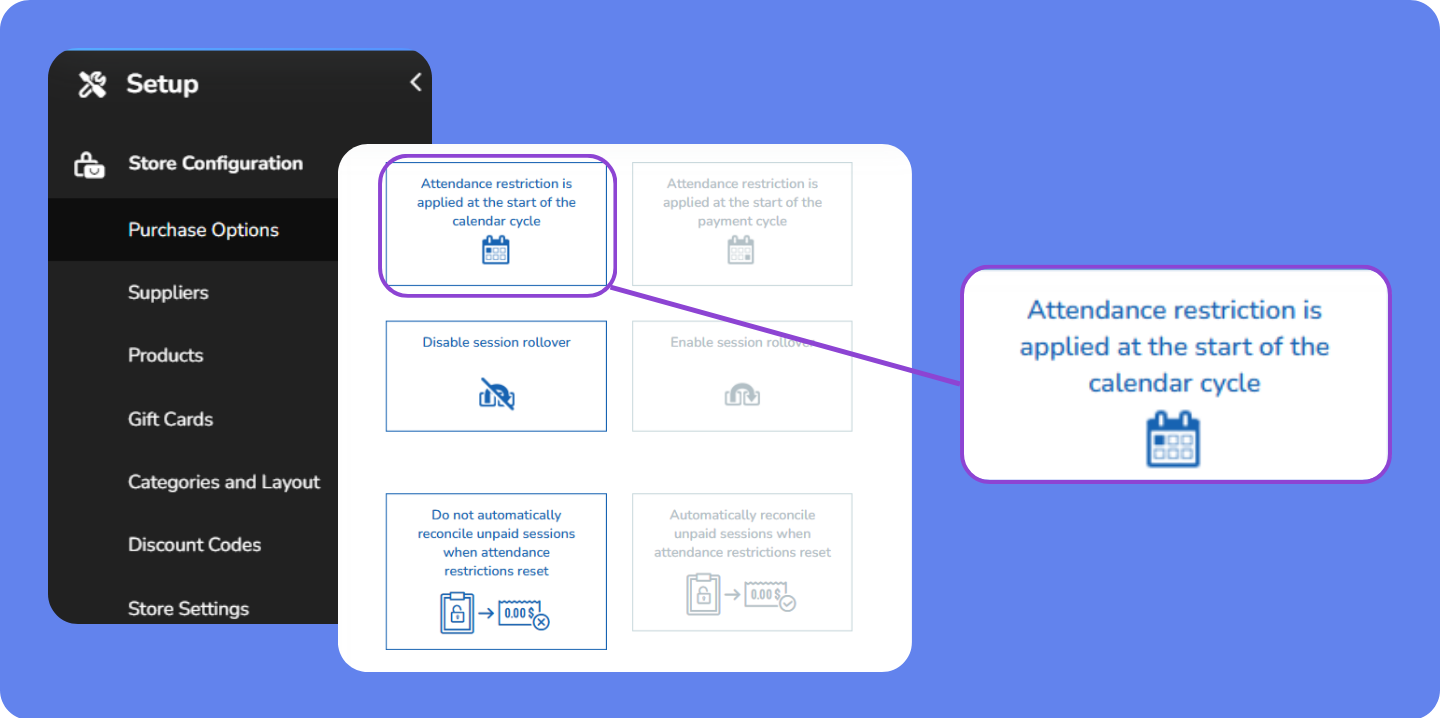
This setup is easy for clients to understand which helps improve client satisfaction and retention. However, it can create mismatches because a client's visit limit may reset before or after their payment date. This means clients could have access to service they haven't yet paid for or lose access despite having paid.
To prevent this, stricter booking rules may be needed to limit early access or ensure client don't exceed their allowance before their next billing cycle begins.
Attendance Restriction is applied at the start of the payment cycle
This option starts attendance restriction on the start date of the Purchase Option. For example, when the membership is set to start on June 7, the attendance restriction cycle resets on the 7th of each month.
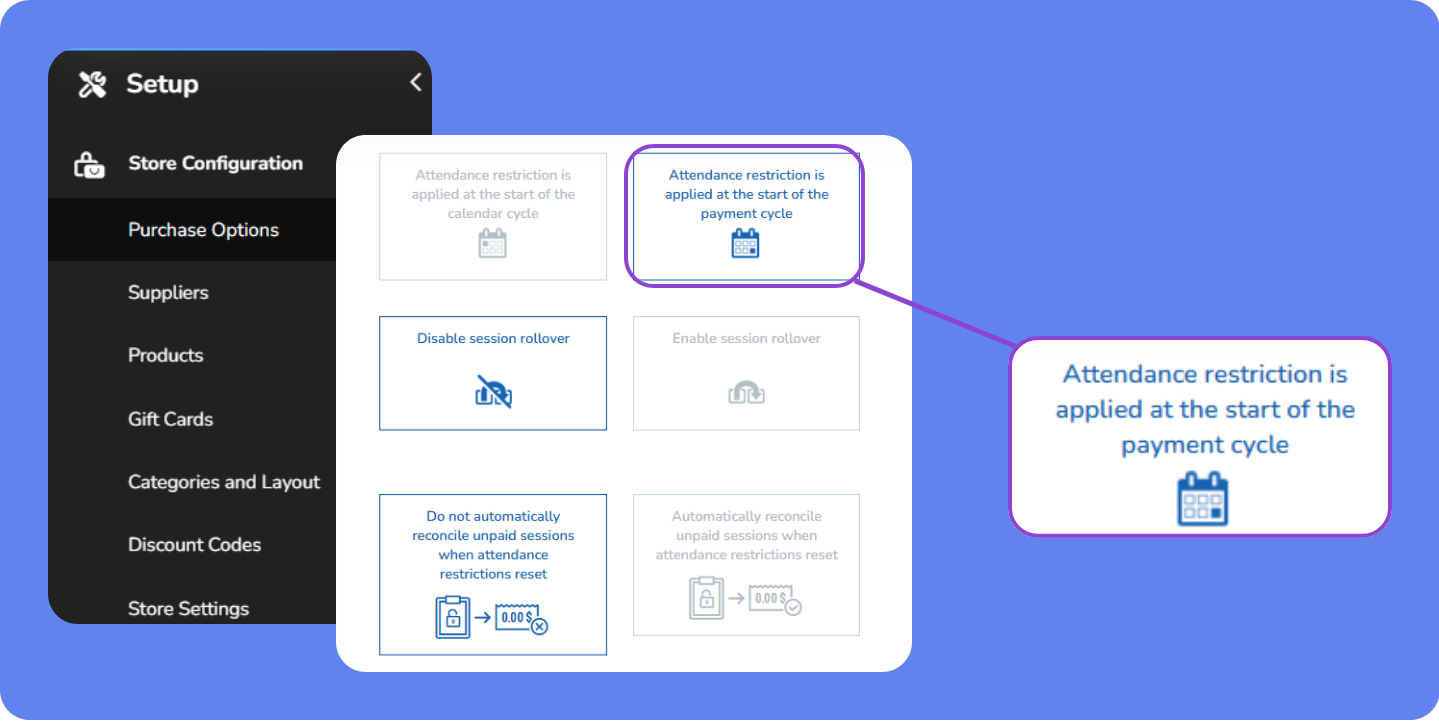
This setup directly aligns visit limits with each client's billing date, making it easier to match usage to revenue and reducing the chance of clients accessing unpaid services.
However, it can be less intuitive for clients expecting start-of-month resets and adds complexity to reporting and operations, as each client's cycle may differ, which requires more effort to track and explain visit usage.
Getting started with attendance restrictions
Follow these steps to start using attendance restrictions:
Create some Purchase Options: Use the Staff Back Office of WellnessLiving to create, modify, or duplicate session passes, memberships, or packages.
Add attendance restrictions: Select an existing Purchase Option and set up attendance restrictions in the advanced settings for your session pass, membership, or package.
Key tips
Booking
If a client books a service for a date outside their current payment period, the visit will count against the next period's available visits. For example, if a client with a monthly membership (4 visits per month) books a service for February on January 10th, the visit will be subtracted from their February allowance, not January's. So, they’ll have 4 visits available in January and 3 visits available in February.
If a pass expires before the scheduled class date, the client will be unable to book that class, even if the pass still has unused visits or credits. To resolve this, ensure the pass's expiration date includes the desired class date, or adjust the expiration date as necessary.
If a client is unable to book after an event has started, verify whether late entry restrictions are configured in the event settings and update them if necessary.
Confirm whether the pass or membership includes the specific service or event, as restrictions might limit its usage to particular types of bookings. Adjust the Purchase Option settings if necessary to resolve mismatches.
Memberships and session passes
The number of times a client can use a Purchase Option is defined by the attendance restriction period, not the auto-renewal period. For example, if a pass that auto-renews every week allows for five visits per month and they use all five visits in one week, they can't use the pass again until the next month.
A four-week restriction period lasts 28 days, which can be shorter than a calendar month. Clients who book visits in the last week of the month should be aware that their 4-week period will end a few days before the month does.
If a client prorates their first membership payment, they still get the full number of visits for the prorated period. For example, if a client buys a prorated membership on June 15 with five visits per month, they can use five visits between June 15 and June 30, and five visits between July 1 and July 30 and July 30.
If a membership's attendance restriction doesn't match its payment cycle (for example, a total number of visits over the full membership term rather than visits per billing period), using the Prorate hold rule can cause the system to allocate an extra cycle of visits when the membership expires. To avoid this, match the attendance restriction period to the payment cycle, or use the Classic hold rule instead of Prorate.
If a membership is set to auto-payments on the 1st of each month and the client’s first payment is prorated, their visits are based on attendance restrictions at the membership start date, resetting on the 1st of each month with auto-payments.
For this to work properly, the hold must be Classic in the client's membership settings. If the hold rule is set to Prorate, clients still receive visits monthly, but based on the membership start date.
Unused visits from a previous attendance cycle do not roll over automatically and become available for new bookings only after the active cycle ends. For example, if a membership restricts attendance to 5 weekly visits and a client does not use all 5 visits, those visits will not carry into the following week unless configured otherwise in the membership settings.
Packages
If attendance restrictions are placed on a package, clients are limited to the number of visits permitted for the package, but those restrictions don’t cancel out any restrictions on the memberships or passes included in the package. For example, if a package allows for 10 visits per week and includes a membership limited to five visits per week and a session pass limited to five visits a month, the client can use up to 10 visits per week, but the membership can’t be used more than five times a week and the session pass can only be used five times a month.
Unpaid visits
Unpaid visits can only be paid with accepted payment methods or an applicable Purchase Option, not with visits from the next period. For example, if a client has four visits left in the current period, they can’t use them to pay for unpaid visits from the previous month.