
You can customize the appearance and settings of your Attendance Kiosk and Attendance mode in the Check-In App. Both the kiosk and the app will be updated based on the selections you choose here.
Customize the Attendance Kiosk and Attendance mode in the Check-In App
To customize the Attendance Kiosk and Attendance mode in the Check-In App, complete the following:
Click the App Drawer button
 then click View All > Setup > Web Applications > Attendance Kiosk.
Upload your Business Logo and determine whether your business name should appear by changing the Display Business Name setting.
Select your preferred calendar Color Customizations. Select a custom color from the dropdown menu, or select one of the predefined colors.
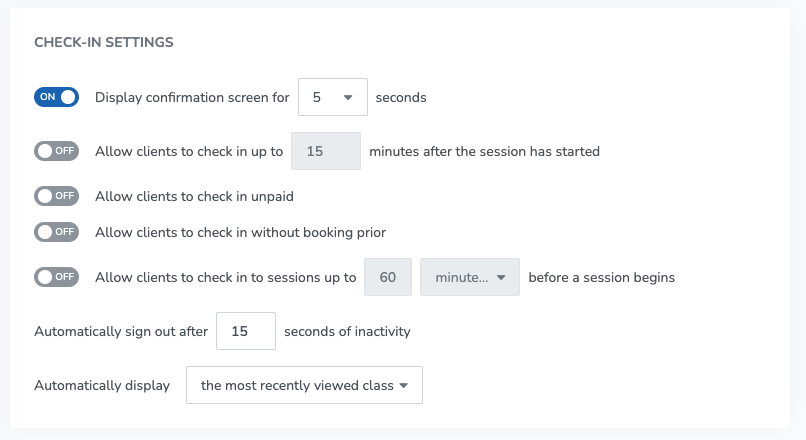
Select your Check-In Settings.
Click SAVE.
For a more detailed breakdown of each setting, see Attendance Kiosk and Attendance mode for the Check-In App settings.